Securus eMessaging
A focused redesign of the contact card and contact management flow removed unnecessary friction, clarified system status and consequences, and gave incarcerated individuals clear visibility into who could be contacted, why changes occurred, and when updates took effect—reducing confusion and failed actions in a high-stakes communication system.
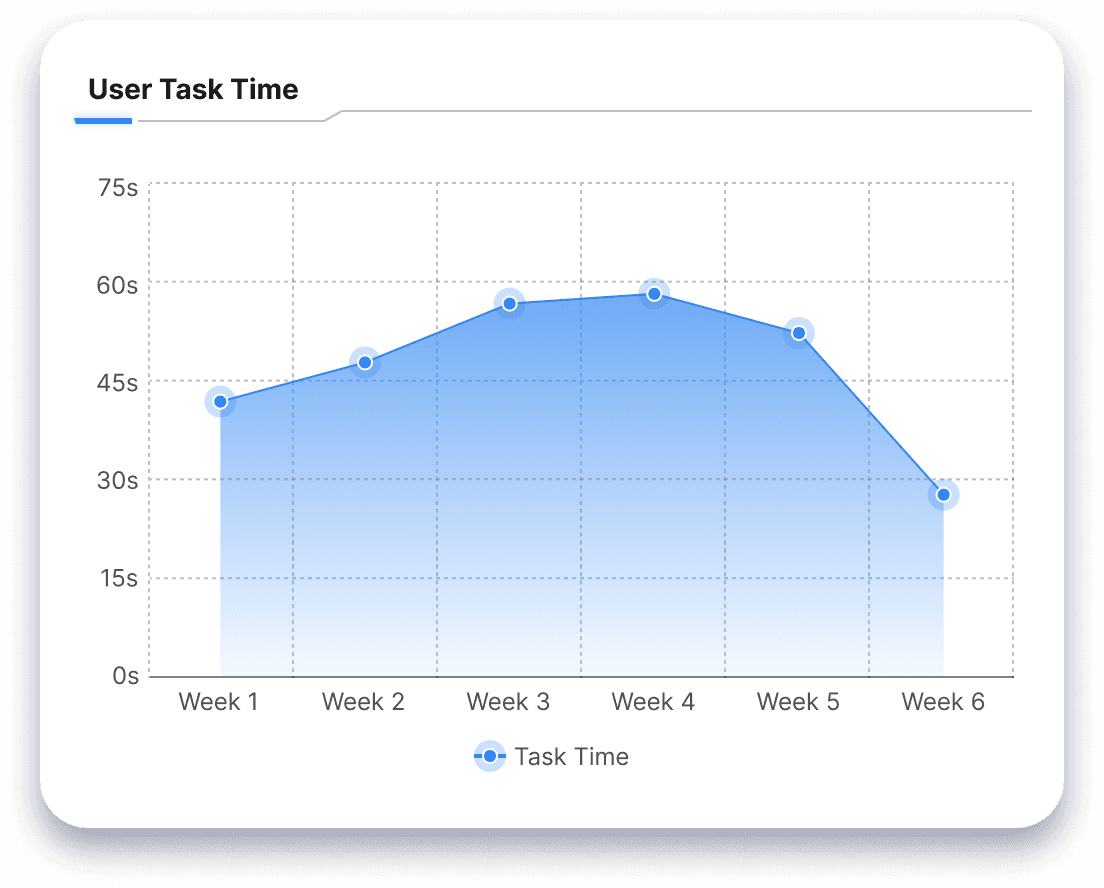
27% in Reduction Task Time
58% in boost in satisfaction
As users felt more empowered using a more modernized product
THE PROBLEM
THE TEAM
My role was to collaborate with interpreters and stakeholders to reduce friction, stabilize the experience, and evolve the product based on what users truly needed.

Product Manager

Developer



UX Design & Research
RESEARCH
My role was to collaborate with interpreters and stakeholders to reduce friction, stabilize the experience, and evolve the product based on what users truly needed.

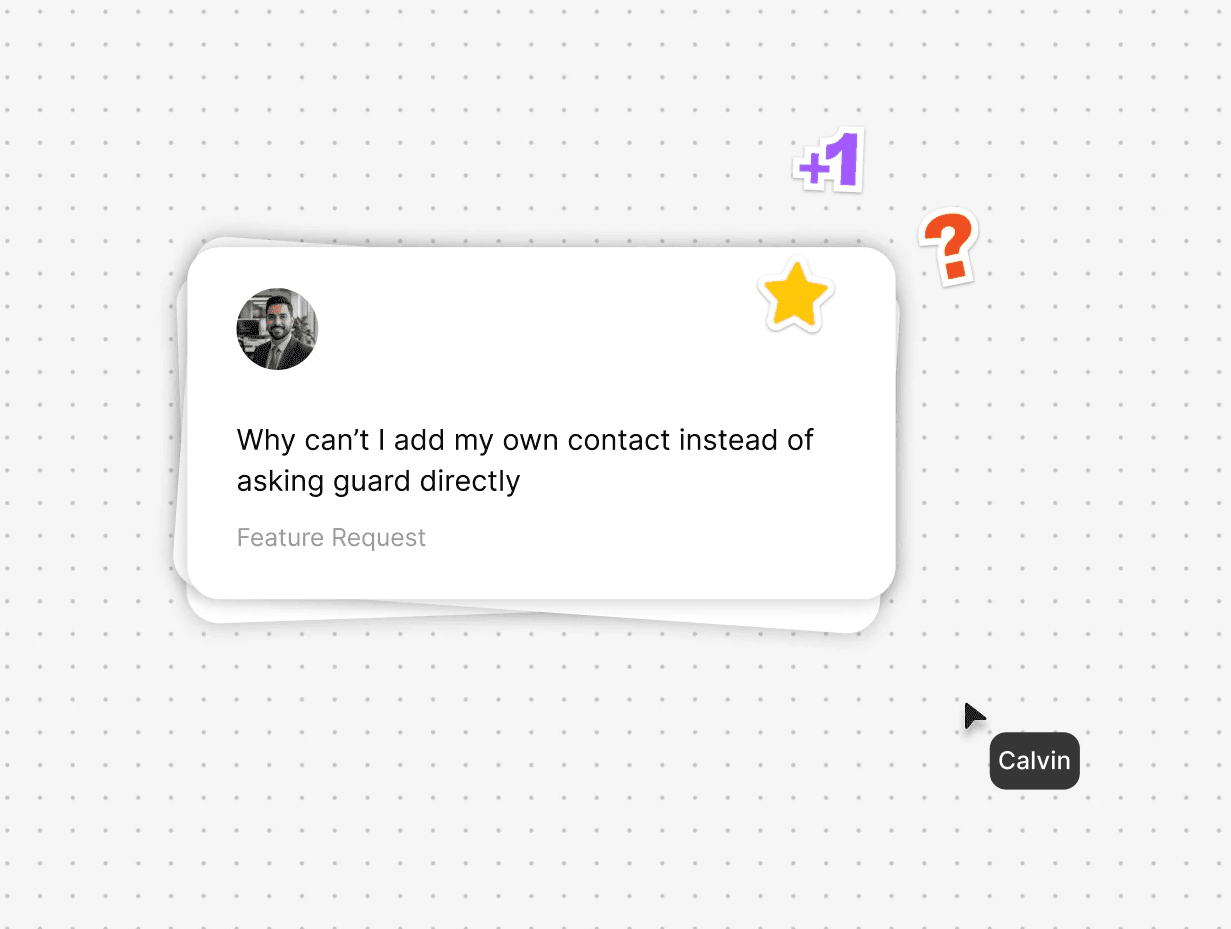
Early conversations with stakeholders and users often pushed for complex additions like drag-and-drop customization or a unified “edit” mode for the contact list. But given the platform’s strict security and technical limitations—older hardware, limited network resources—those features would have increased technical debt without solving the real problem.
Usage data clarified the issue: the friction wasn’t a lack of advanced customization. It was the system’s inability to give users basic autonomy in the core workflows they relied on most.
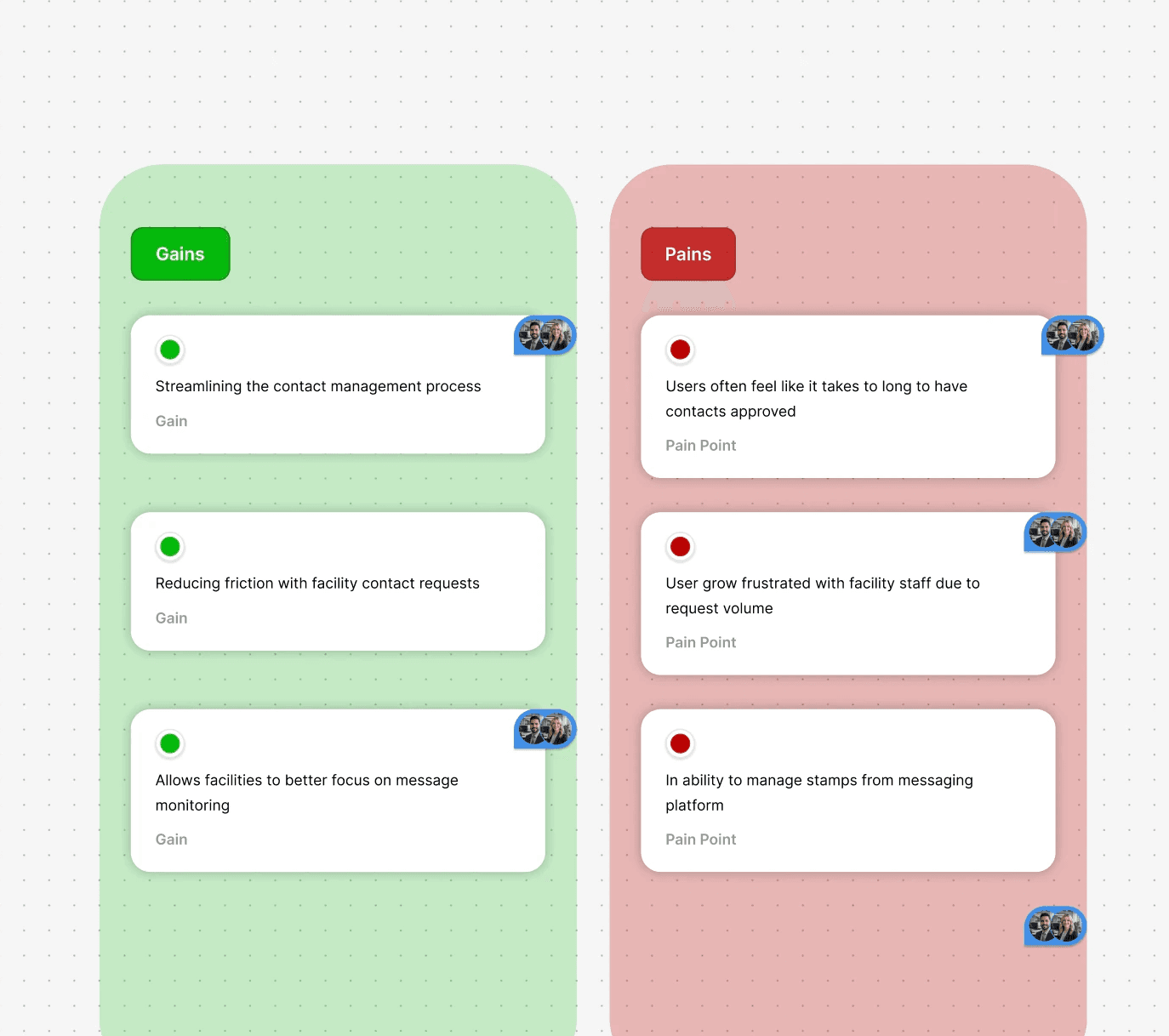
The backlog reflected solutions rather than root issues, so I paused to analyze the motivation behind each request. A few examples include:
Contact Management Friction
The process for deleting and adding contacts was scattered and prone to failure.
Fragmented Information Architecture
The contact card failed to display critical data efficiently, forcing users to navigate away to find simple information.
Lack of Status Transparency
Users were often unsure about a contact's approval status or their own stamp balance, creating high anxiety.
This iterative approach ensured that the redesign addressed the core problems of friction and lack of autonomy while adhering to the technical and security constraints of the platform.
Define the Strategy
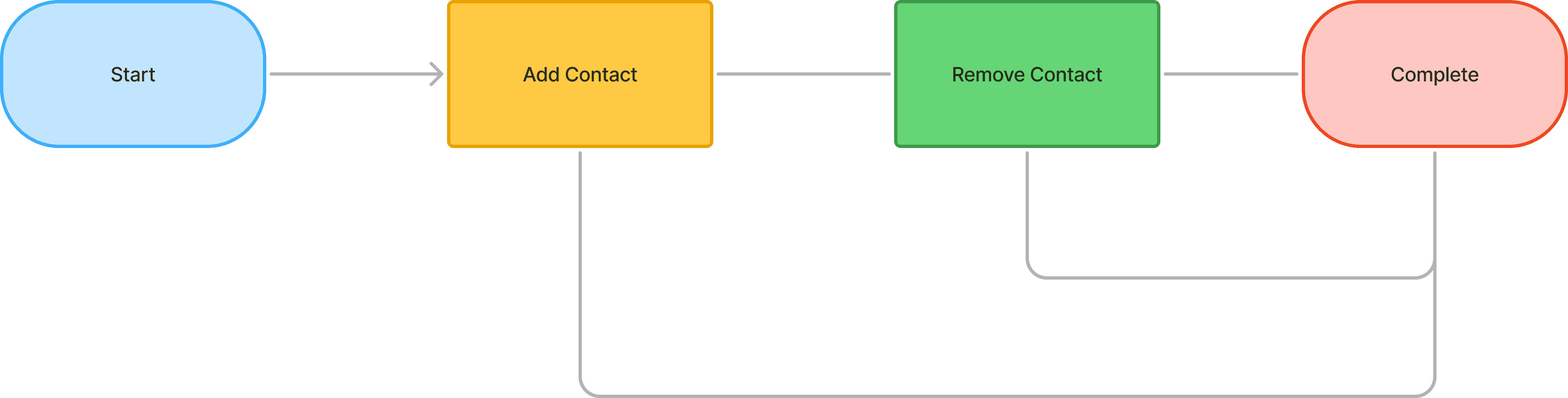
Define a clearer, high-autonomy flow focused on core user needs
Test and Refine
Launch the Streamlined Experience
DESIGN
A review of the legacy interface and its failure points revealed several critical requirements for the redesign. Before any visual work began, the team aligned on two core principles to guide the new iteration

Partitioned View
Utilizing a 2 column pattern to partition the chat threads and chat conversation

Stamp Balance View
Keep stamp balance at top of screen to clearly show inmates
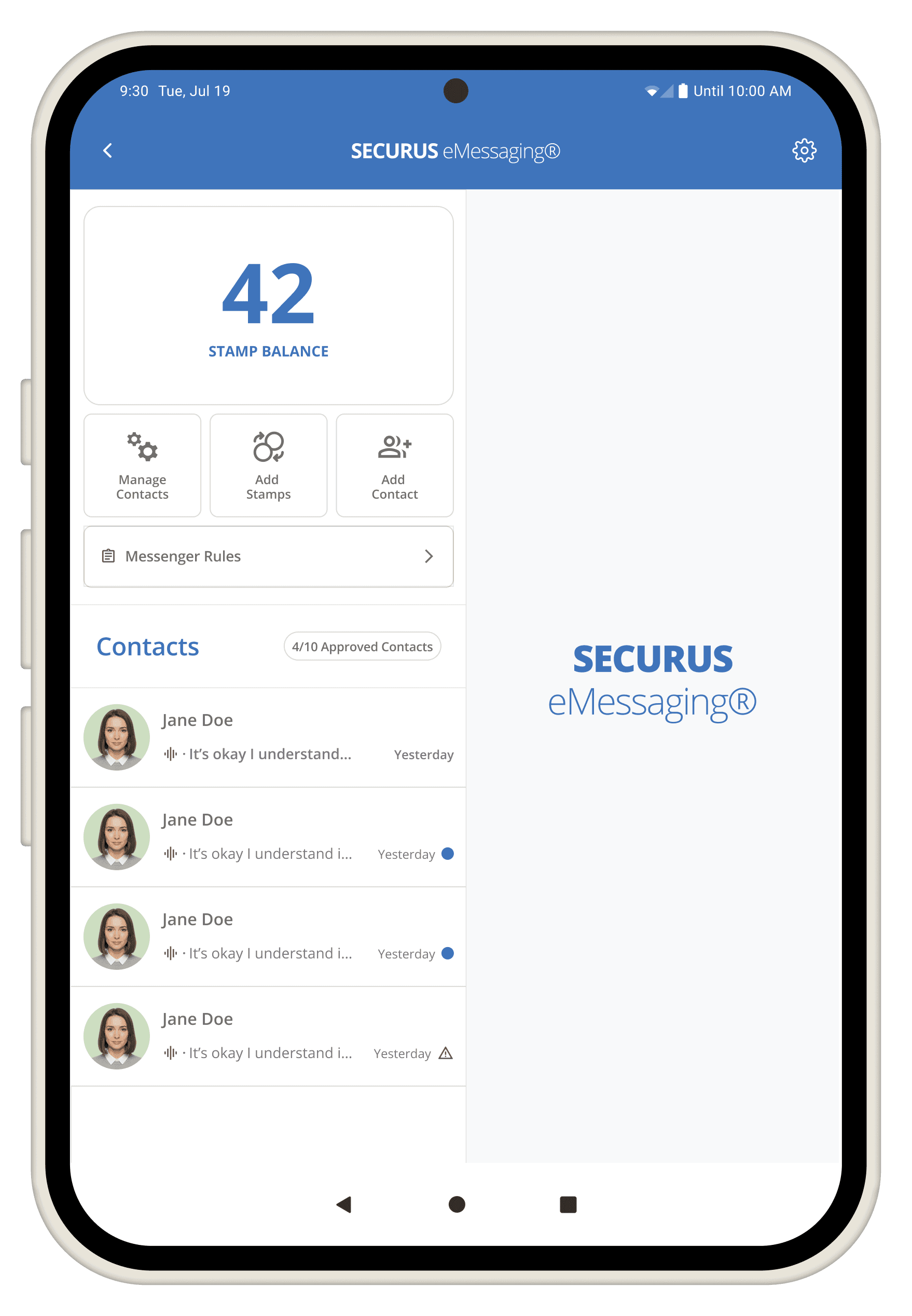
With no hierarchy, the original layout buried essential tasks. The new structure brings priority actions forward and reduces unnecessary clutter.
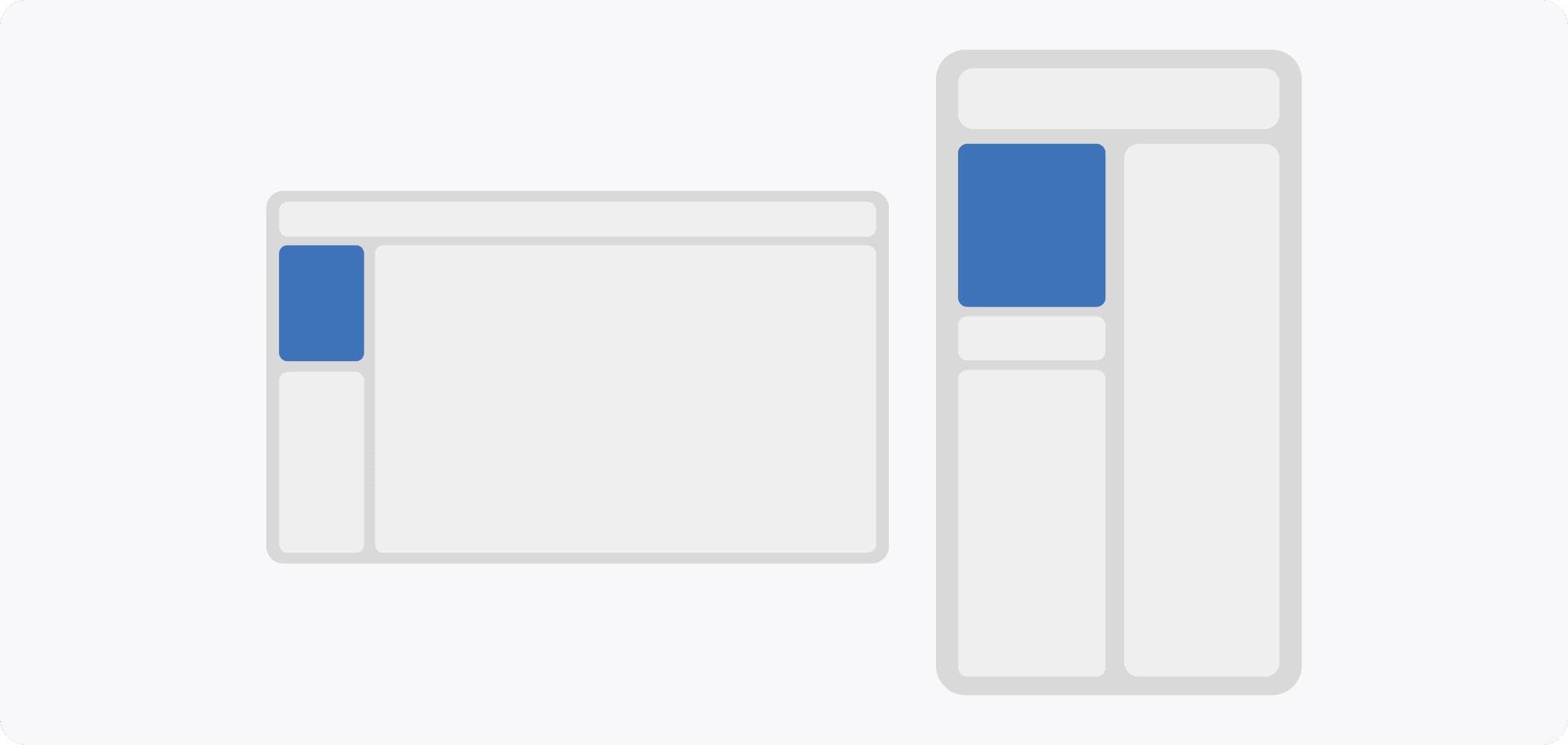
Through data review and layout exploration, I finalized a scalable structure that balanced priorities and flexibility, allowing us to move forward with confidence
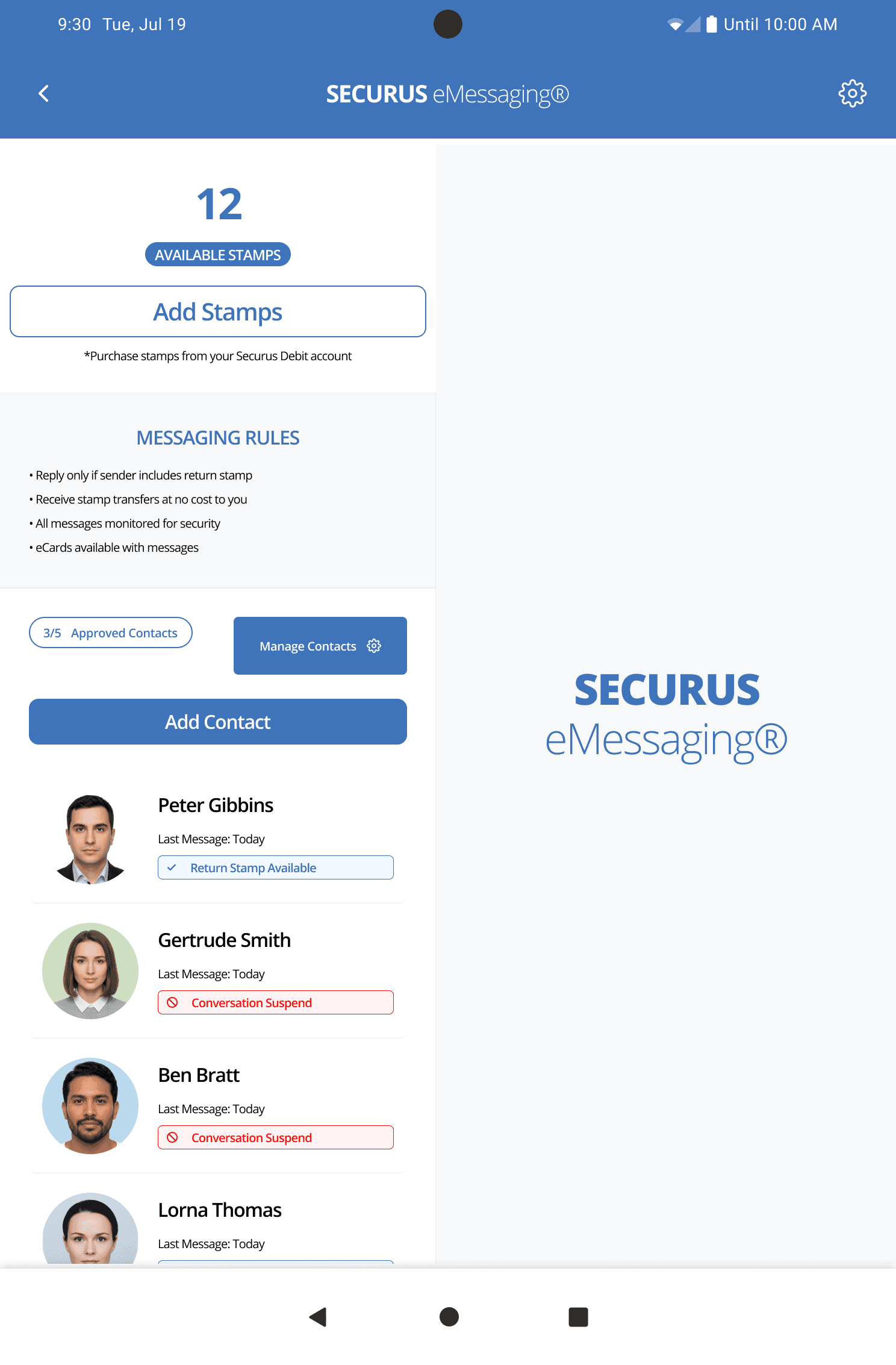
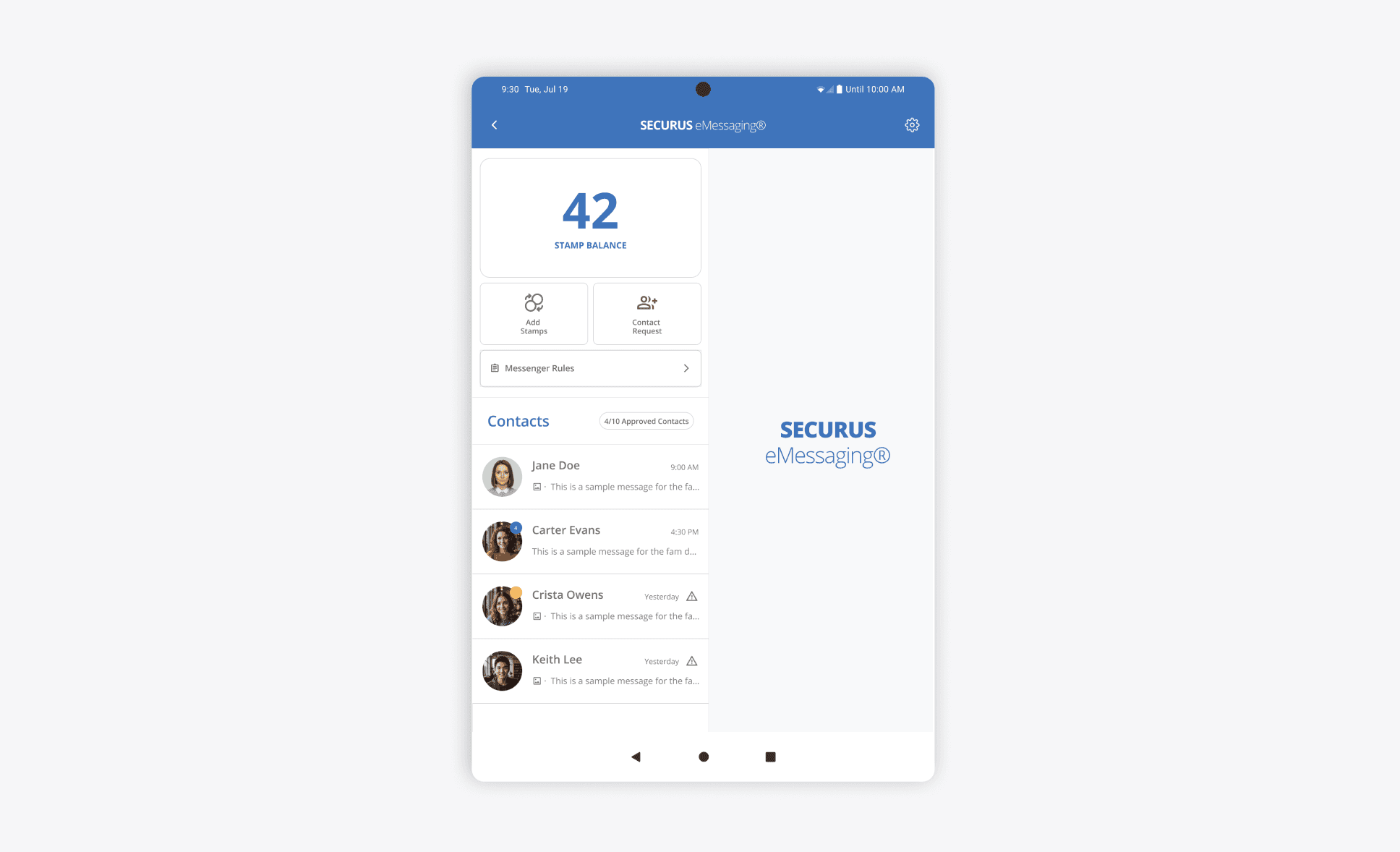
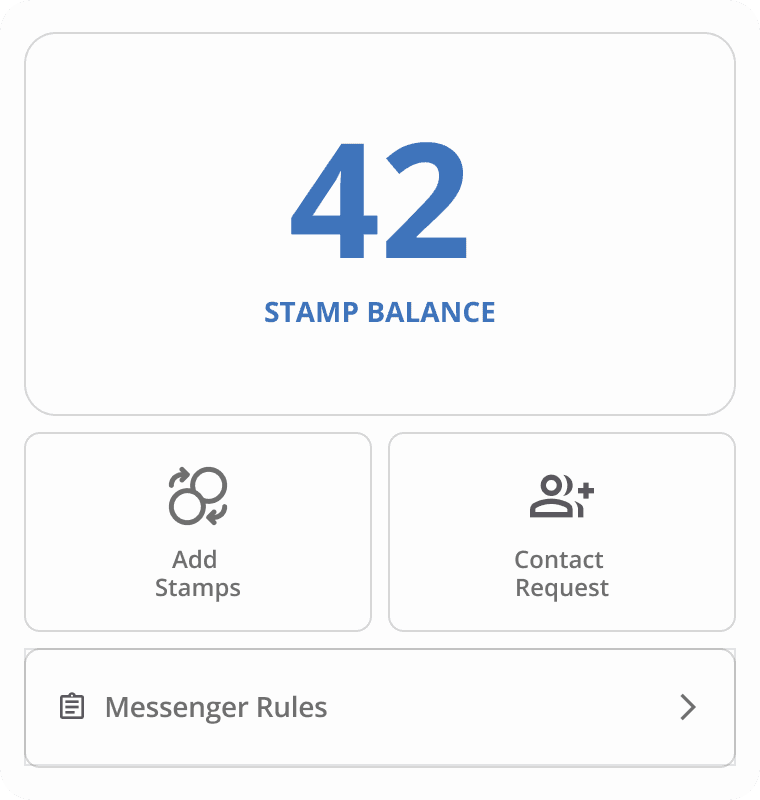
Creating a dedicated section for contact and stamp management. This gave inmates a clear view of how to quickly access relevant actions and information for each contact.
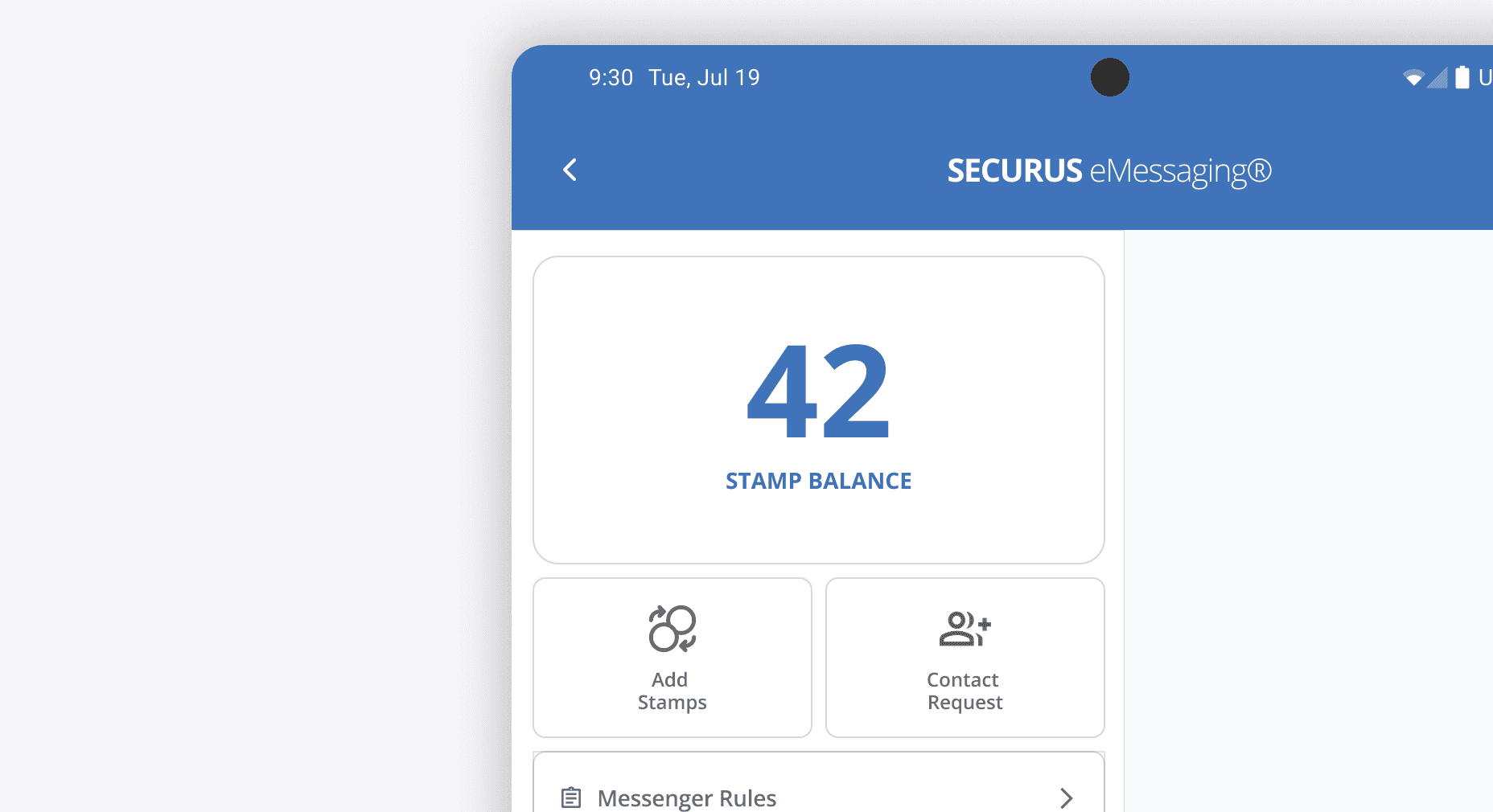
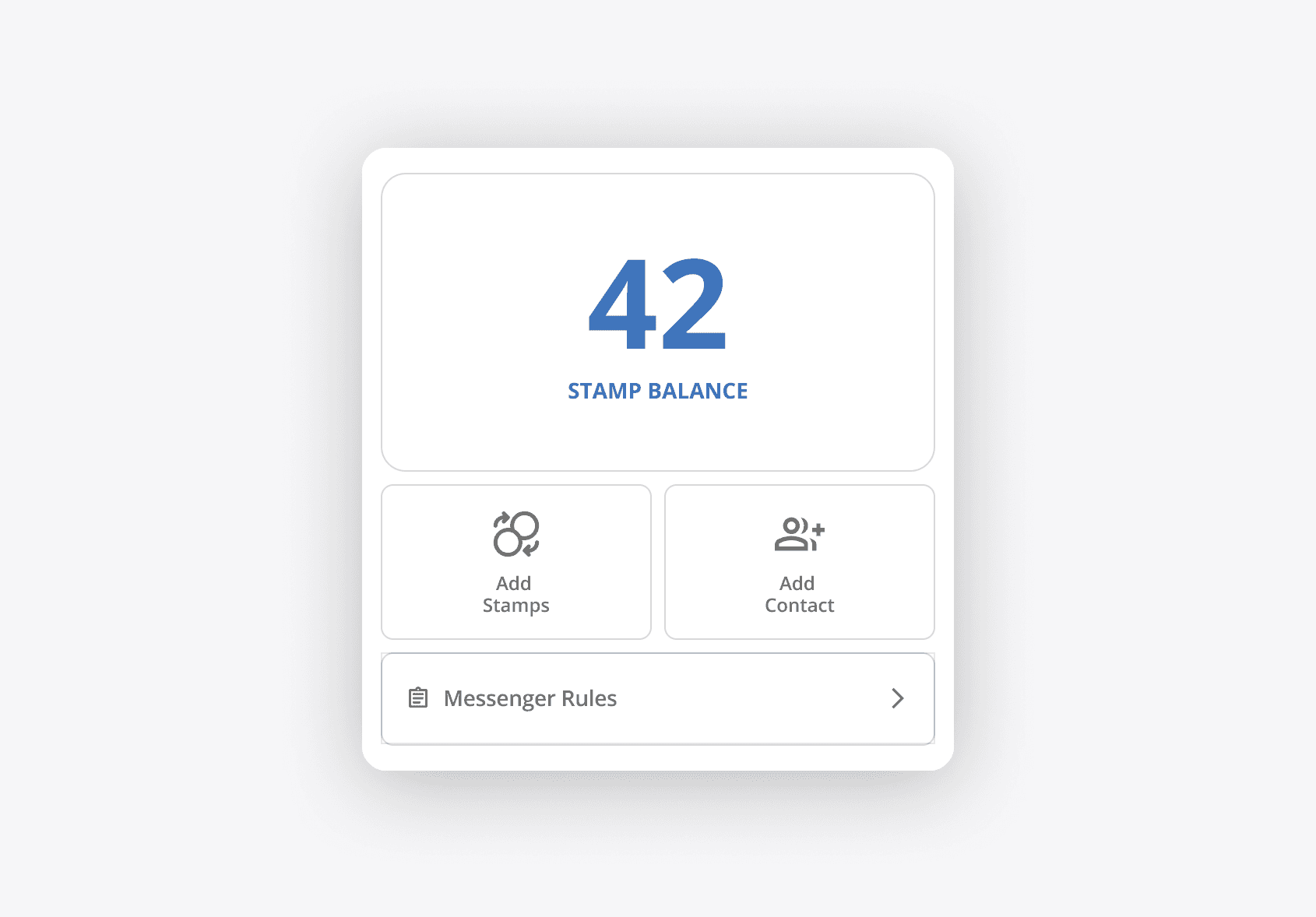
High-priority elements were moved to the top of the screen, closer to the stamp balance, reinforcing presence and keeping the inmate’s most important information in immediate view
Contacts and Chat threads both house the ability for users to both manage contacts and notifications
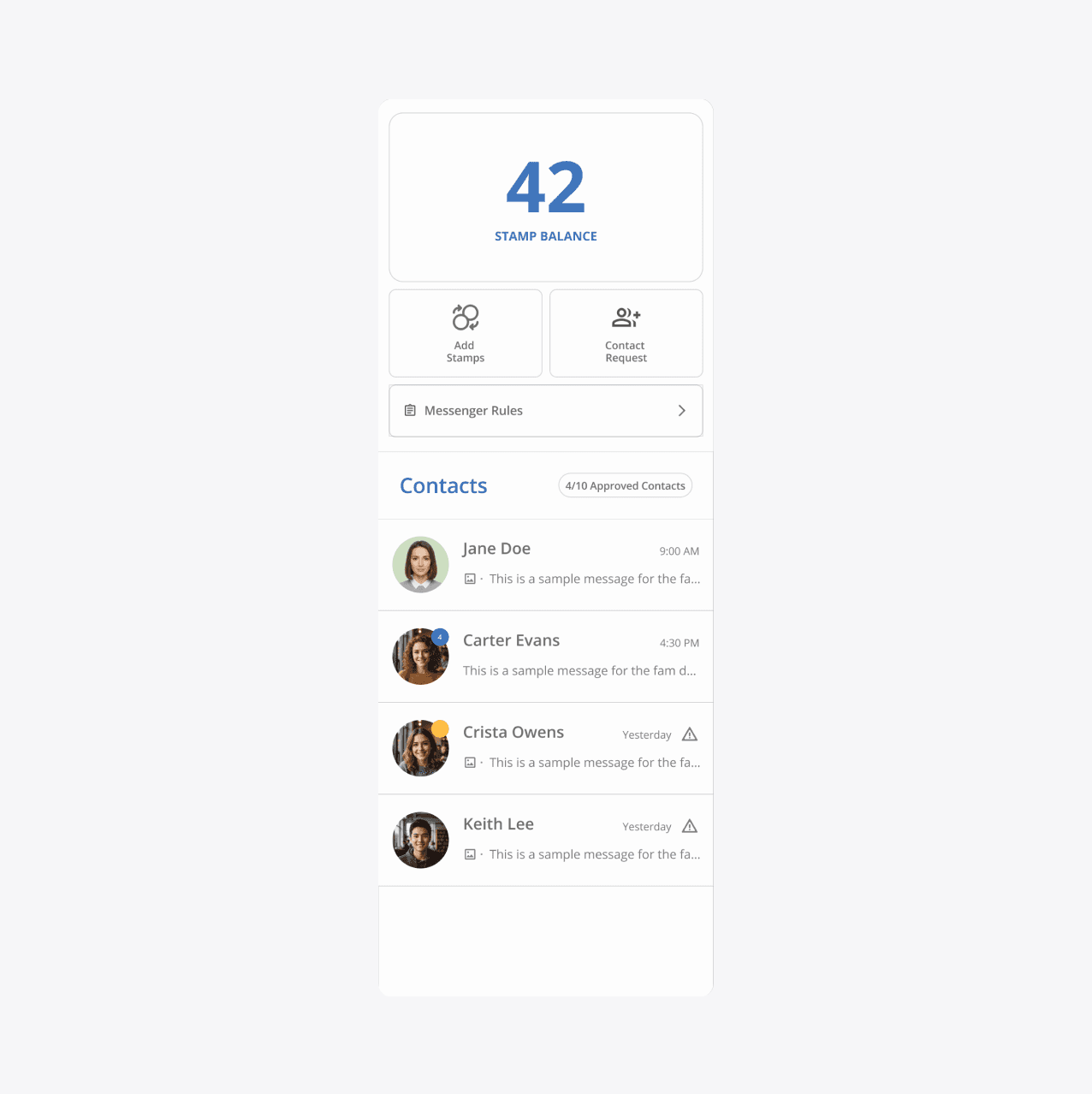
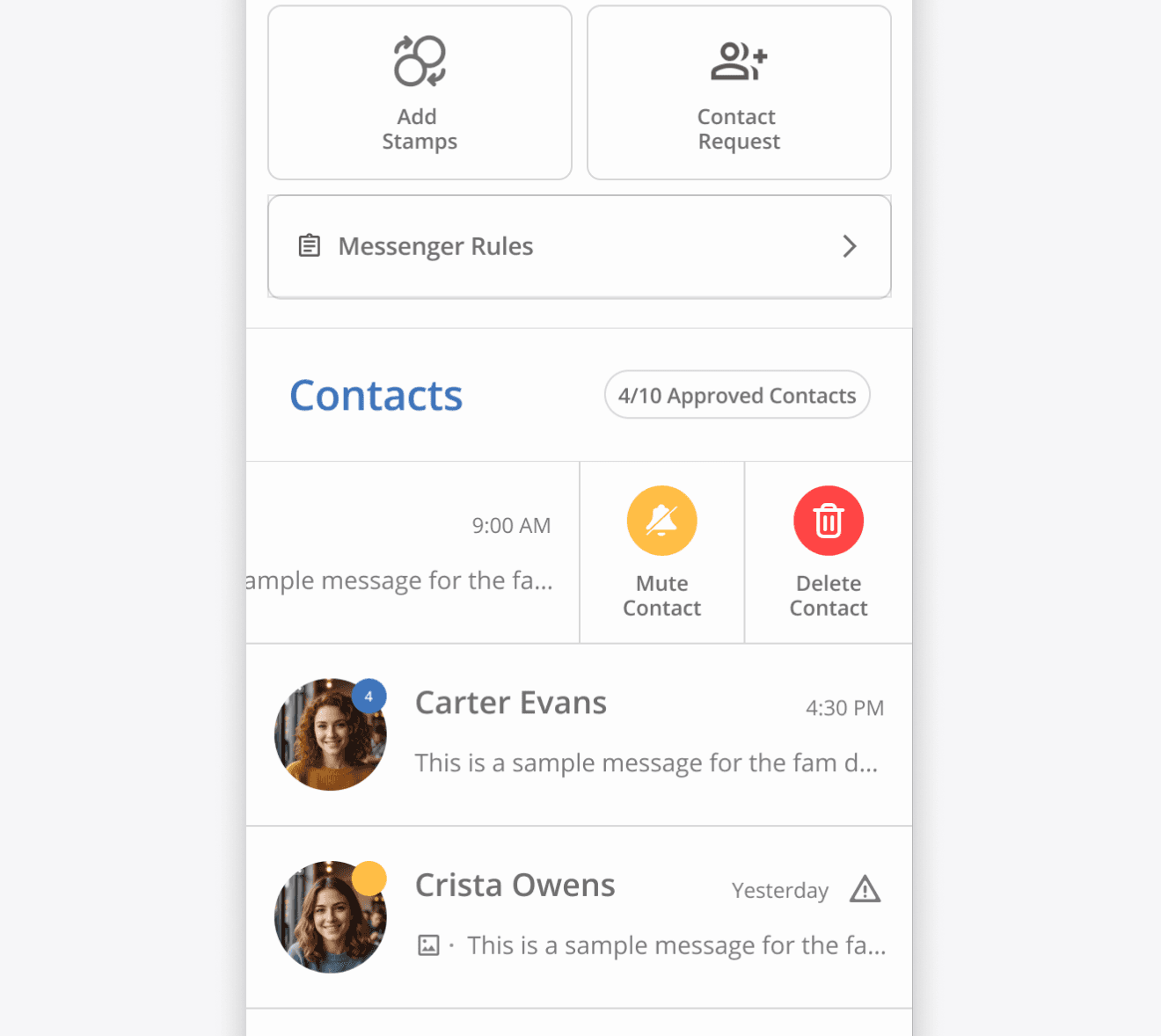
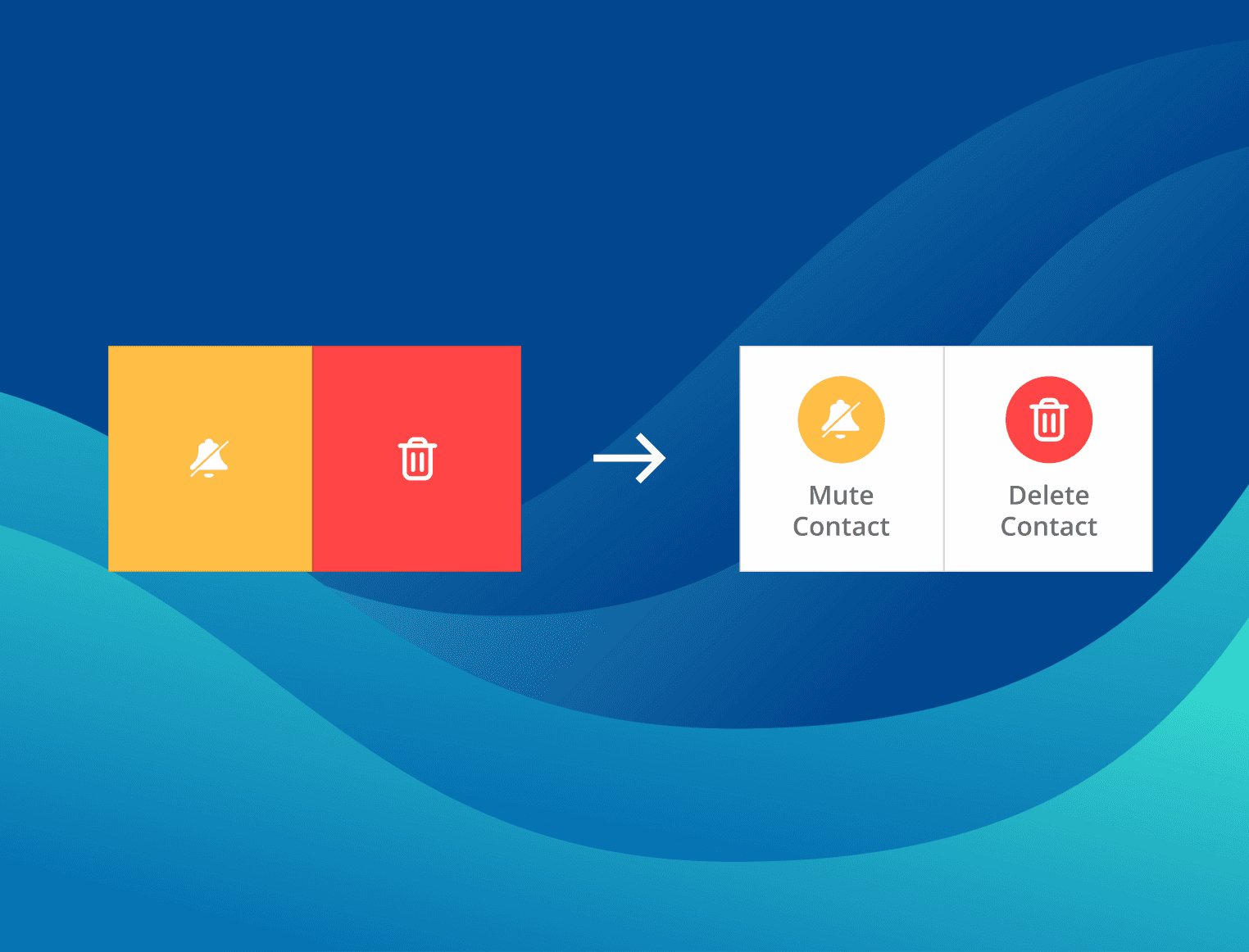
Adding common gestures to easily send users into contact manage mode. Allowing users to to delete and silence messages from contacts
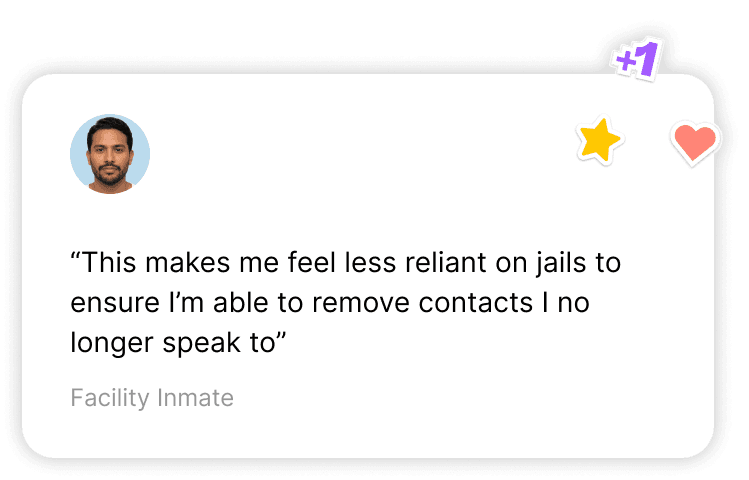
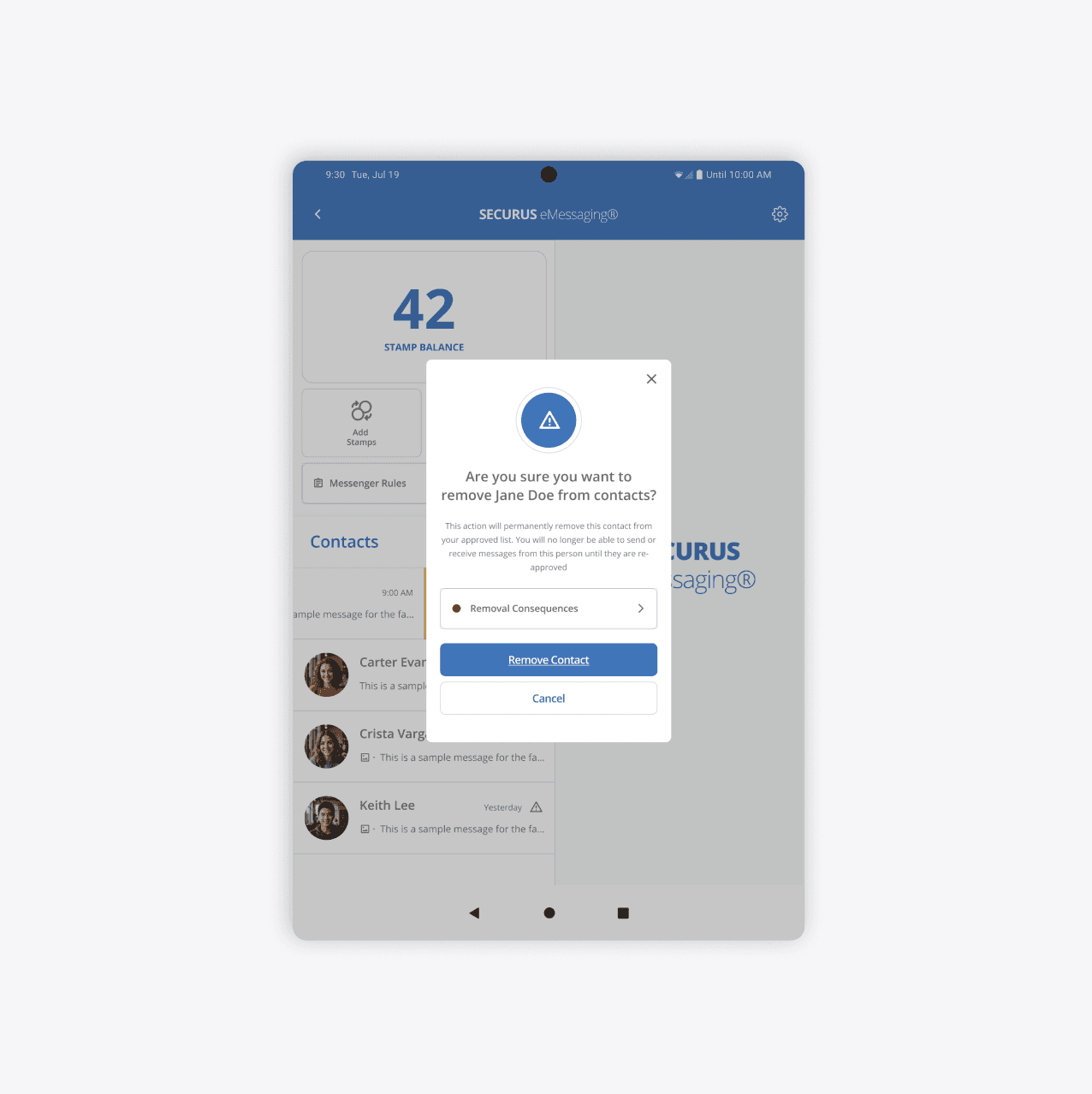
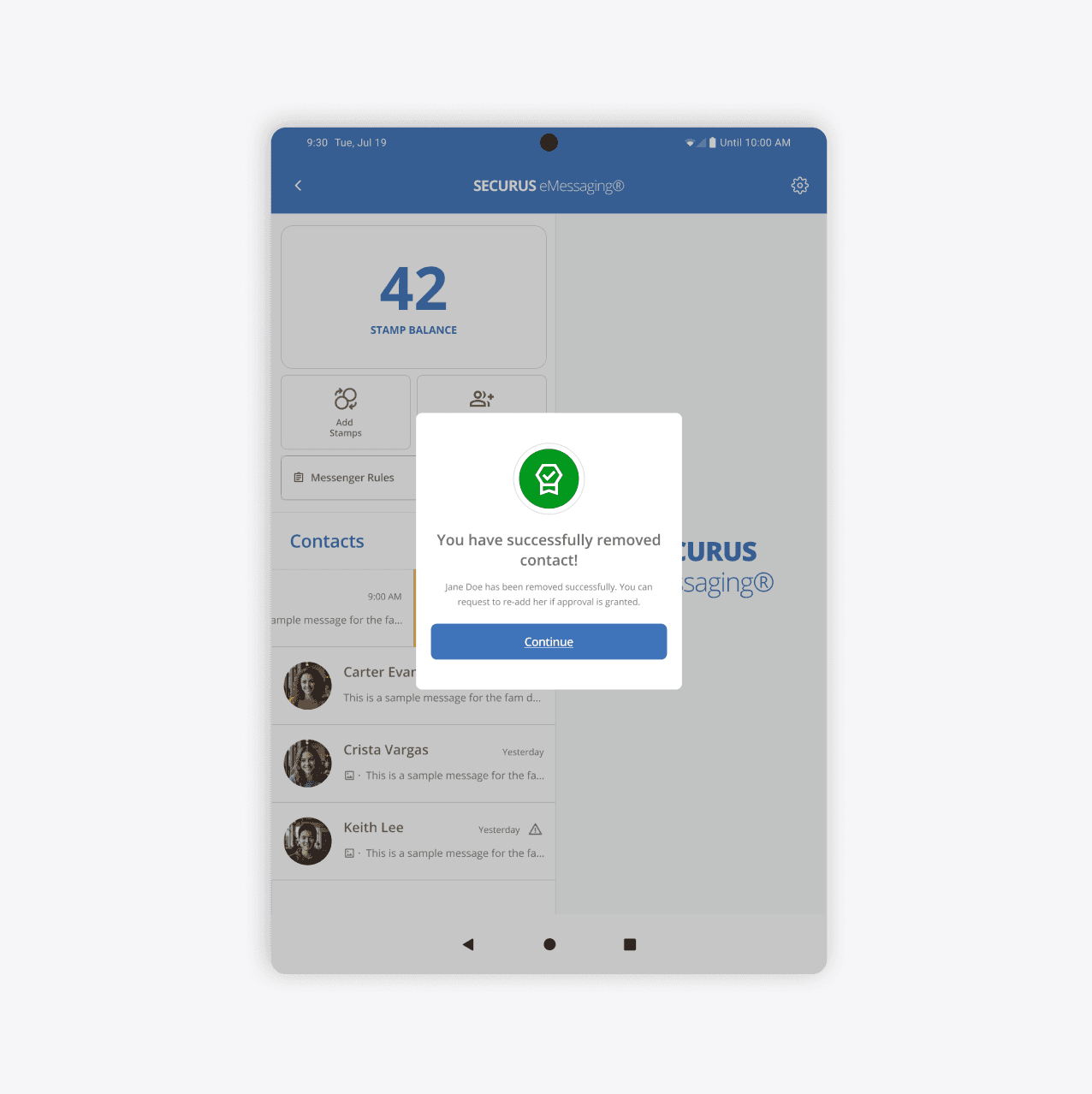
The current iteration of the eMessaging lacked a clear flow in the ability to remove users from their contact list. Utilizing overlays allowed users to focus on their task and have clear understanding.
It made sense to utilize a familiar gesture (i.e. swipe/drag) in order quickly enter manage contact mode. Giving users options to mute notifications or delete contact all together
It made sense to utilize a familiar gesture (i.e. swipe/drag) in order quickly enter manage contact mode. Giving users options to mute notifications or delete contact all together
Requesting contact prompts full screen view. Based on feedback from inmates in diary studies and remote testing stated lack of clarity in adding.
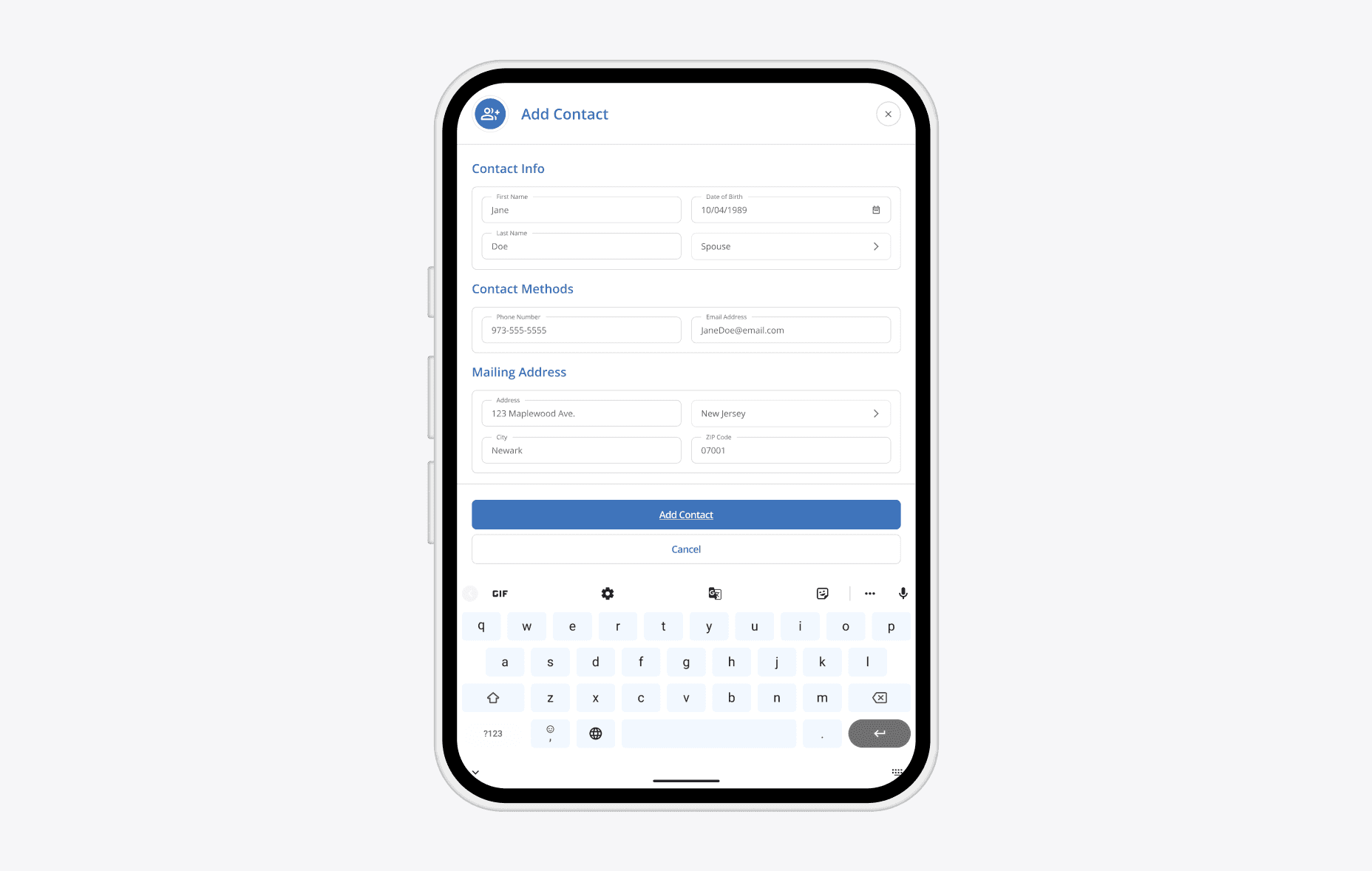
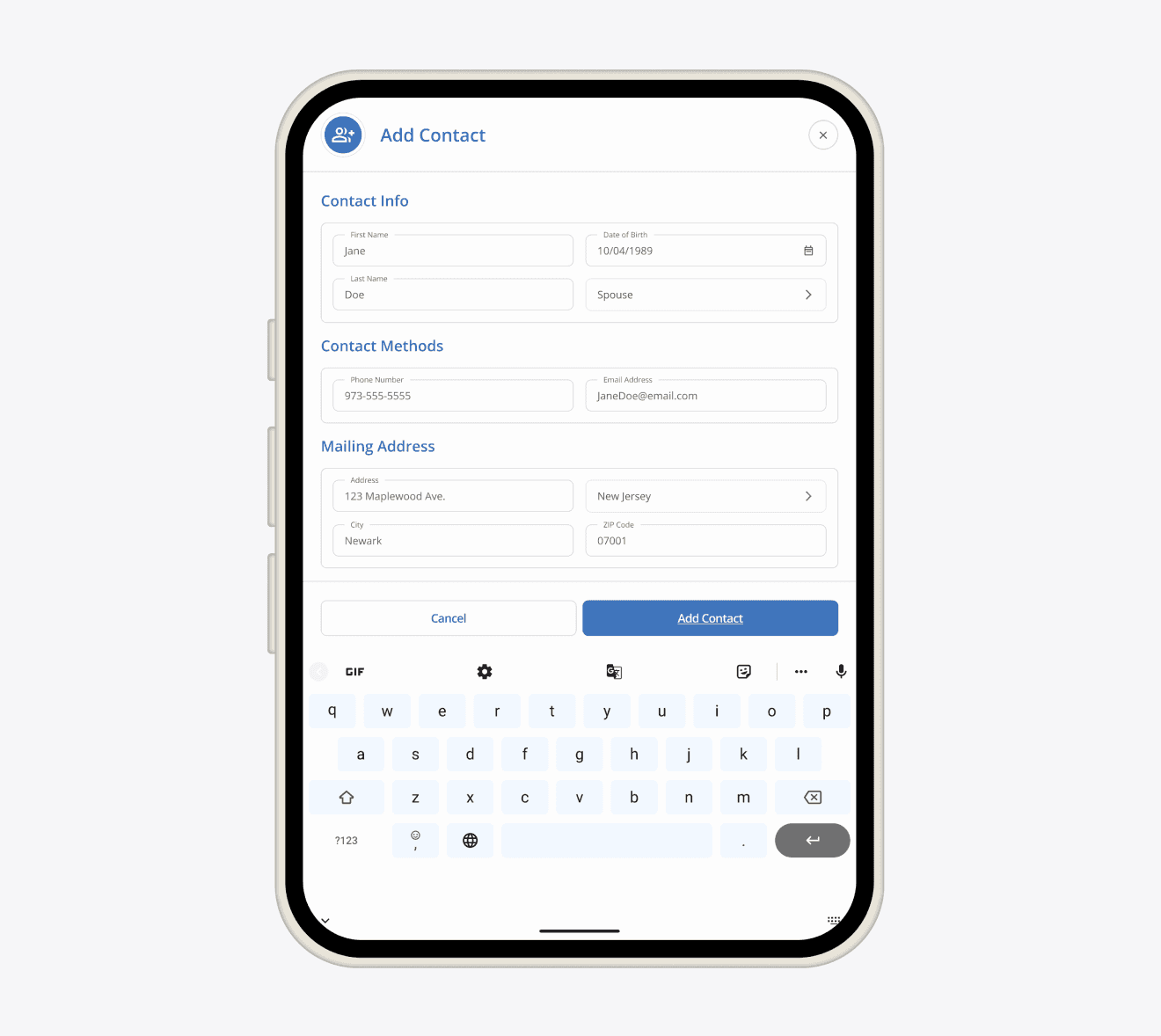
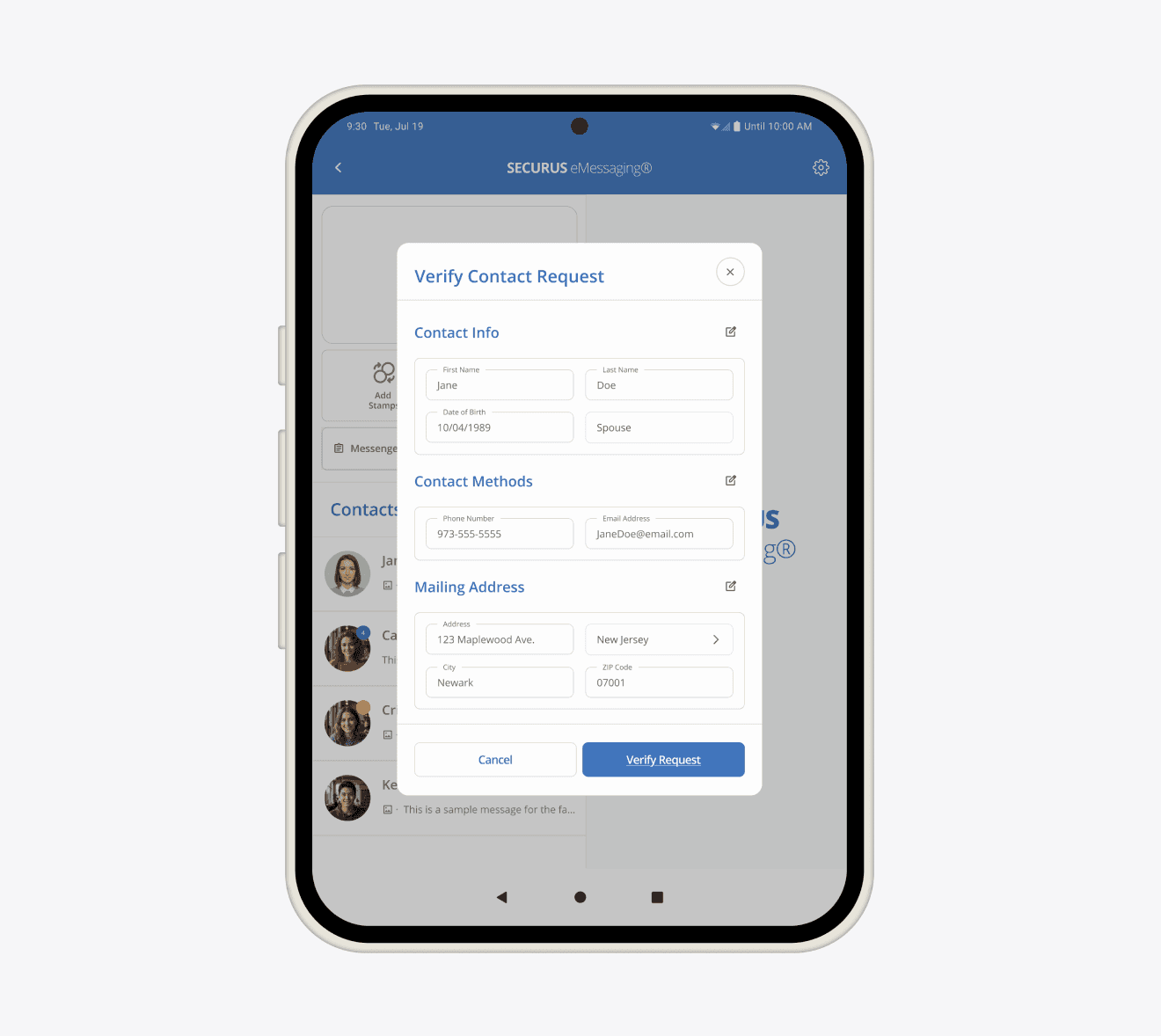
Requesting contact prompts full screen view. Based on feedback from inmates in diary studies and remote testing stated lack of clarity in adding.
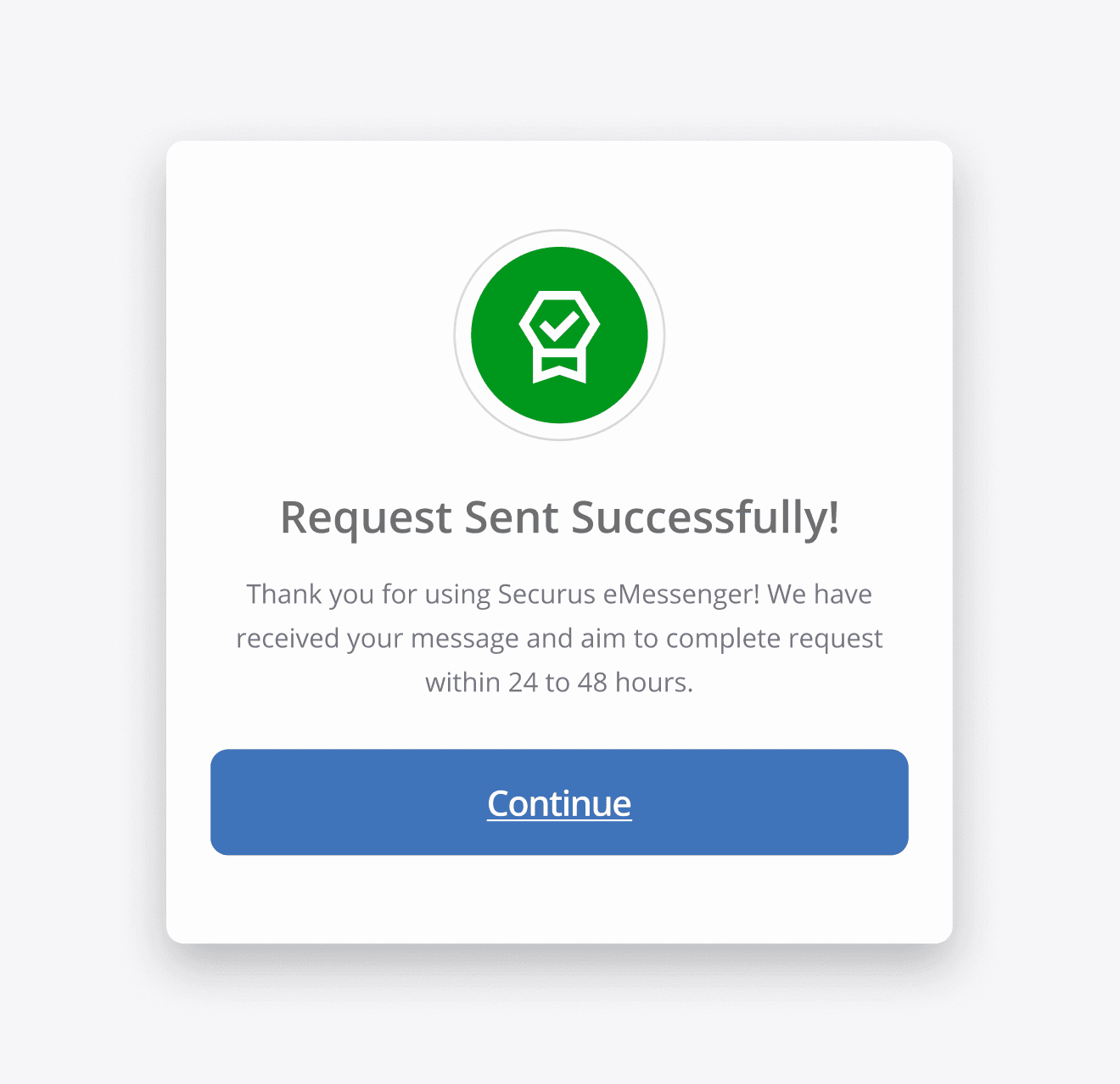
Providing inmates with success modal eased concerns about if their contact request has been sent correctly. 80% of users complained about uncertainty if their request was sent.
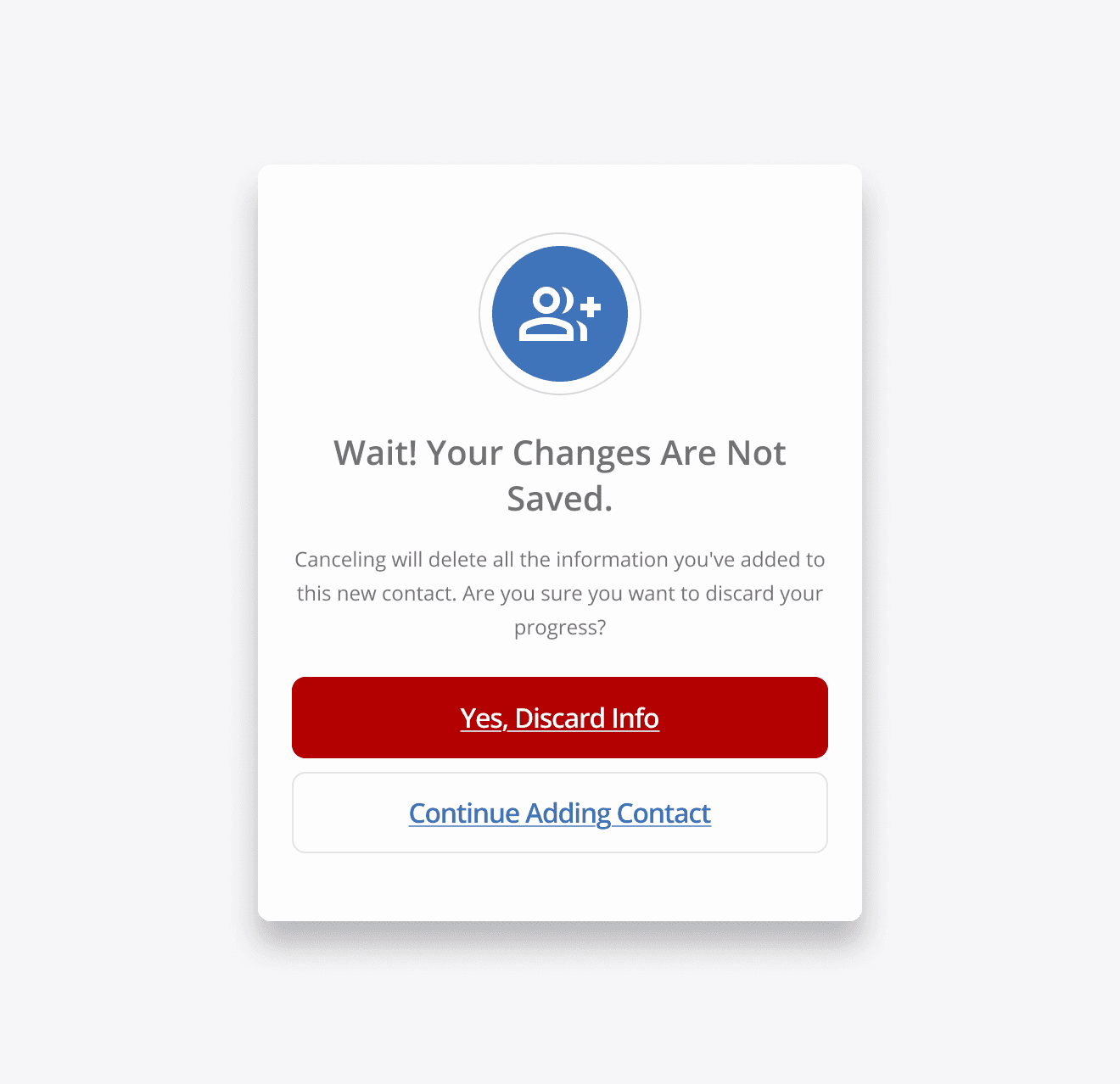
The ability to abandon flow was key by creating an opportunity to make sure they're certain they want to cancel actions.
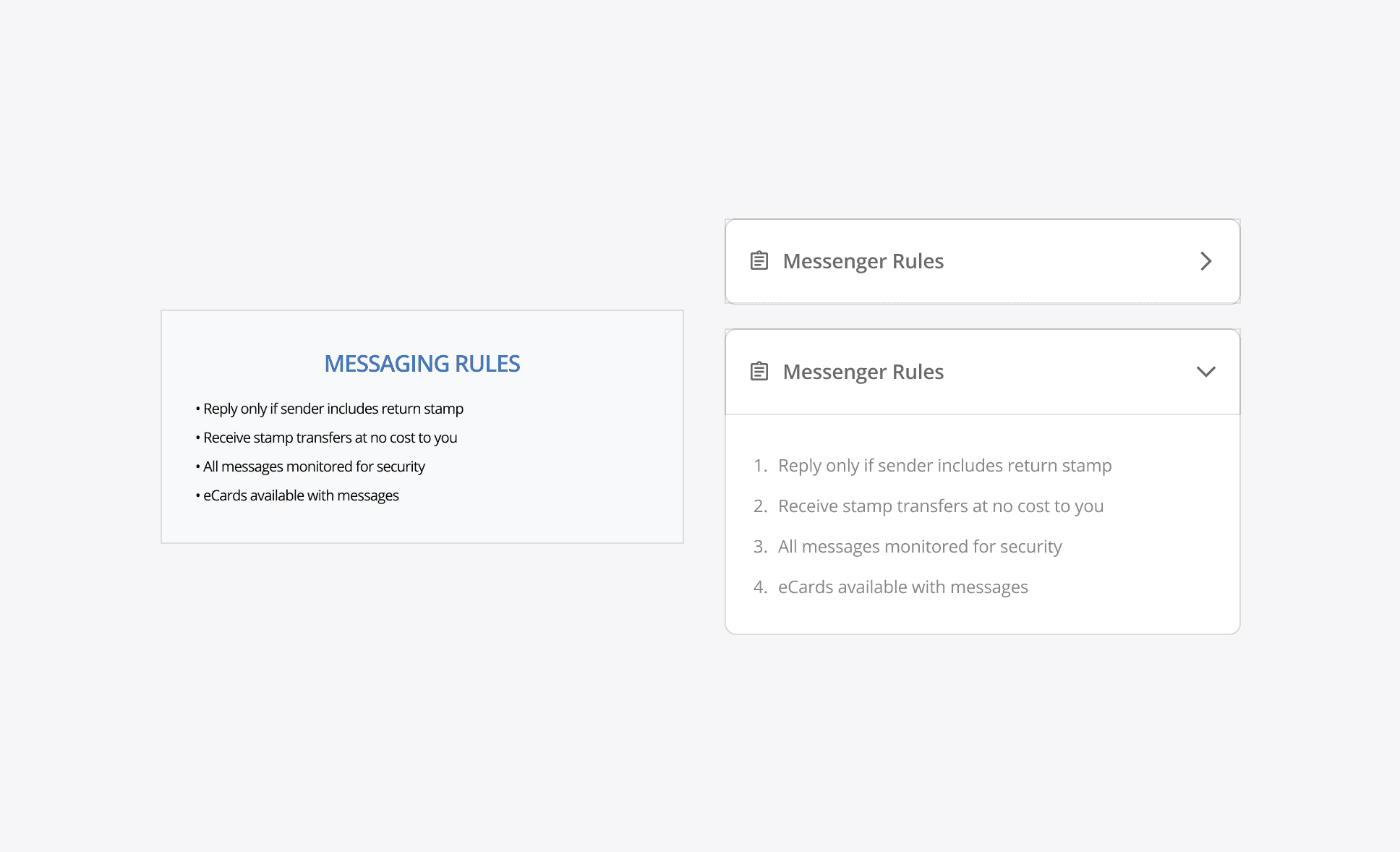
In order to solve this issue utilizing an accordion to easily collapse elements. These tool stay tucked but expand as needed
TESTING
Our researcher and I ran usability sessions with interpreters, mixing both remote and in person observations, and guided them through tasks while gathering feedback
Fragmented Information Architecture
They appreciated the larger text showing what actions were available - calling the layout far cleaner and easier to follow along with
"Whats taken so long to do this?!?"
27% Task Reduction Time
Participants were able to carry out contact removal functions, like requesting a contact to be added, and using the gestures to quickly remove contacts
"The contact card failed to display critical data efficiently, forcing users to navigate away to find simple information."
Increased Confidence In Product
Inmates said the new layout felt far more modernized and allowed them to follow along far easier than prior
"The contact card failed to display critical data efficiently, forcing users to navigate away to find simple information."
Interpreter feedback led to refinements that improved clarity, speed, and confidence across the experience:
RESULTS
After tackling some of the larger pain points (excessive clicking, cognitive load, and scattered actions) and with the data showing that we’re on the right path - the team is building on this momentum, shipping improvements and tracking as we go.
27% in Reduction Task Time
58% in boost in satisfaction
As users felt more empowered using a more modernized product
REFLECTION
By slowing down and reframing the problem, we identified the real challenges and aligned on a more impactful, cost-effective approach.